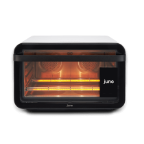
Get started with your new oven
-
1. Remove protective films
Remove any film or tape from the oven. Remove all packaging from oven accessories.
-
2. Insert crumb tray beneath heating elements
Insert the crumb tray on the floor of the oven, beneath the bottom heating elements.
-
3. Insert wire shelf
Insert the wire shelf in the middle shelf position. The shelf’s raised cross bars should be on top.
-
4. Plug in your oven
The touch-screen display will turn on. Make sure your oven is plugged directly into a wall socket—don’t use an extension cord or adapter, which could pose risk of fire.
-
5. Leave space for ventilation
Oven needs 2 inches of space on each side and at least 8 inches above and behind for proper air circulation. A plastic bumper keeps the back from touching any wall. Make sure all perforated vents are clear.
-
6. Connect your oven to WiFi
Follow the instructions on the screen to set up your oven. You will start by connecting your oven to WiFi and downloading the latest software.
-
7. Get the app
Use the app to set up your oven and control it from your device. Search ‘June oven’ in the Apple App Store, Google Play, or go to www.juneoven.com/app.
-
8. Control from anywhere
The app syncs with your June to automatically set the correct time, temperature, preset and preferred doneness for your recipe.
Included accessories
-
Food Thermometer
Connected into June, the Food Thermometer measures the internal temperature when inserted into the food. The high precision thermometer is accurate up to 1°F and can be used when cooking meat, fish, pies, baked potatoes and much more. The June probe is only 1.8mm (0.07 inches) thick, and unlike other probes, will not damage your food.
-
Roasting rack
For use on the Pan when roasting to keep foods elevated and create a crisper finish.
-
Pan*
Made from solid core aluminum with a high performance PFOA/PTFE free non-stick coating, June’s Pan distributes heat evenly and is easy to clean.
-
Wire shelf
Slides into any of the three shelf positions.
-
Crumb tray
Sits at the bottom of June to collect drippings and crumbs. Slides out for cleaning.
-
Three air fry and dehydrate baskets*
For frying and dehydrating.
Make your first meal
Try these easy three-ingredient meals
Cook with June’s easy to follow, step-by-step video recipes. It’s like having a chef cook with you.
Explore recipesCooking with your June
June’s Automatic Cook-Programs and Food Recognition Items
-
Vegetables
Acorn Squash Wedges
Asparagus*
Broccoli*
Broccolini*
Brussels Sprouts Halves*
Butternut Squash Cubes*
Button Mushrooms, Halves
Button Mushrooms, Slices
Button Mushrooms, Whole
Carrots*
Carrots, Chunks*
Cauliflower, Florets*
Cauliflower, Steaks
Corn in Husk
Delicata Squash Slices
Eggplant Slices*
Garlic Cloves
Green Beans*
Kale Chips*
Okra
Padron Peppers
Portobello Mushrooms*
Potato*
Potato, Chunks*
Spaghetti Squash
Sweet Potato*
Tomato Slices -
Vegetarian
Beyond Meat Burgers
Beyond Meat Sausages
Chickenless Nuggets
Tofu Steak*
Tofu Steak, Hodo*
Veggie Burger -
Seafood
Cod Fillet*
Halibut Fillet
Jumbo Prawns
Lobster Tails*
Mahi-Mahi
Salmon Fillet*
Tilapia Fillet*
Tuna Steak -
Poultry
Chicken Apple Sausages*
Chicken Breast*
Chicken Drumsticks*
Chicken Leg Quarters*
Chicken Thighs*
Chicken Wings*
Chicken, Mixed Pieces
Chicken, Spatchcock
Chicken, Whole*
Duck Breast
Duck Leg Quarters
Eggs, Hard Boiled*
Turkey Burgers* -
Baked Goods
Biscuits**
Chocolate Chip Cookies*
Fruit Pie*
Fudgy Brownies*
Pumpkin Pie* -
Leftovers
Leftover Pizza, Classic Crust*
Leftover Pizza, Deep Dish
Leftover Pizza, Thin Crust* -
Meat
Bacon*
Beef Burgers
Beef Hot Dogs
Beef Jerky
Beef Ribs
Beef Ribs, English Cut
Beef Roast
Beef Steak*
Duck Breast
Duck Leg Quarters
English Cut Short Ribs+
Lamb Chops**
Lamb Rack*
Lamb Roast
Lamb Shank
Meatballs
Pork Chops
Pork Loin
Pork Ribs
Pork Shoulder
Pork Tenderloin
Sausages*
-
Toast
Bagels*
Bread Slices*
Bread Slices, Raisin*
English Muffins*
Hamburger Buns*
Hot Dog Buns*
Pop-Tarts*
Toaster Strudel*
Tortillas, Corn*
Tortillas, Flour*
Waffles, Frozen* -
Frozen Food
Chicken Nuggets*
Chicken Tenders*
Corn Dogs
Edamame
Fish Sticks
Fries, Classic*
Fries, Crinkle Cut*
Fries, Shoestring*
Fries, Steakhouse*
Mozzarella Sticks
Pizza, Classic Crust
Pizza, Personal Size
Pizza, Rising Crust
Pizza, Thin & Crispy*
Taquitos
Tater Tots*
Vegetable Mix -
Fruit and Nuts
Almonds**
Apple Slices*
Hazelnuts
Pecans**
Pine Nuts
Pineapple Chunks+
Pistachios
Popcorn+
Pumpkin Seeds
Quinoa
Strawberry Slices
Walnuts**
Many of our Cook-Programs allow for different preferences to be chosen
*Automatically recognized food
**Automatically recognized food only in the 2nd generation oven
+Only available on the 2nd generation oven